光线追踪:球体相交检测实现 - 图形学每日挑战
每日编程挑战:光线与球体相交检测可视化
今天完成了光线追踪中的基础计算——光线与球体相交检测。这是光线追踪算法中最核心的几何计算之一,通过检测光线与球体的交点,为后续的材质、光照和阴影计算奠定基础。
项目概述
- 实现语言:C++ (C++11标准)
- 算法核心:光线-球体相交的几何计算
- 输出格式:400×300像素PNG图像
- 场景内容:单个球体,多方向光线可视化
核心算法:光线-球体相交
光线与球体的交点计算是光线追踪的基础问题。使用几何方法可以高效地计算交点。
数学公式推导
设:
- 光线:R(t) = O + t·d(O为原点,d为方向向量,t为参数)
- 球体:中心C,半径r,满足 ||P - C||² = r²
将光线方程代入球体方程:
||O + t·d - C||² = r²
展开得:
(O - C + t·d) · (O - C + t·d) = r²
令 OC = O - C,则:
(OC + t·d) · (OC + t·d) = r²
OC·OC + 2t(OC·d) + t²(d·d) = r²
整理得到一元二次方程:
a·t² + b·t + c = 0
其中:
- a = d·d(方向向量的点积)
- b = 2(OC·d)(OC与方向向量的点积的两倍)
- c = OC·OC - r²(OC的点积减去半径平方)
交点判定
通过判别式 Δ = b² - 4ac 判断相交情况:
- Δ < 0:无交点
- Δ = 0:相切(一个交点)
- Δ > 0:相交(两个交点)
代码实现
1. 向量类实现
1 | struct Vec3 { |
2. 相交检测函数
1 | bool raySphereIntersect(const Ray& ray, const Sphere& sphere, float& t) { |
3. 光线生成与追踪
1 | // 球体定义 |
可视化效果
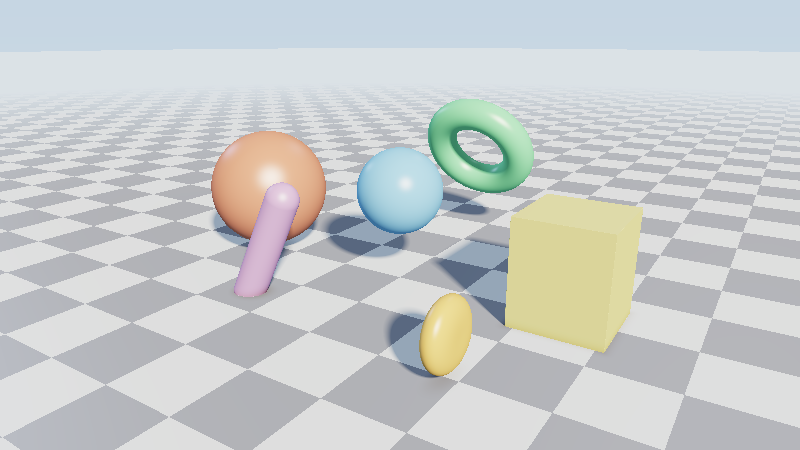
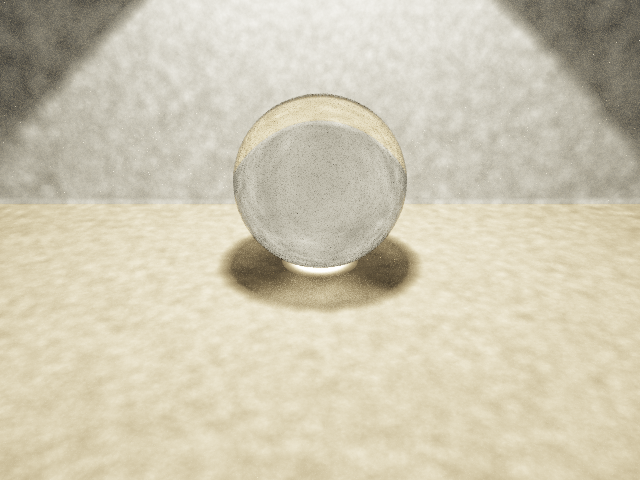
输出图像展示了多个方向的光线与球体的相交情况:
- 相交区域:蓝色区域表示光线与球体相交
- 未相交区域:深灰色表示光线未命中球体
- 强度渐变:根据交点的法线方向产生亮度变化
图像中可以看到:
- 中心区域:光线与球体正面相交,颜色较亮
- 边缘区域:光线与球体侧面相交,颜色较暗
- 外围区域:光线完全错过球体,颜色最深
数学细节探讨
交点选择策略
当存在两个交点时($t_1$和$t_2$),选择策略很重要:
- 最近交点:选择较小的$t$值($t_1$)
- 外部进入:$t > 0$表示光线从外部进入球体
- 内部出发:$t < 0$表示光线从球体内部出发
数值稳定性优化
实际实现中需要考虑数值稳定性:
1 | // 避免除零错误 |
快速拒绝测试
对于复杂的场景,可以进行快速拒绝测试:
- 包围盒测试:先检测光线与球体包围盒的相交
- 距离阈值:预先排除过远的物体
- 方向过滤:排除方向错误的光线
性能分析
- 时间复杂度:O(1) 每光线-球体对
- 空间复杂度:O(1) 基本计算
- 浮点运算:约20次乘加运算
- 分支预测:1个主要分支(判别式判断)
优化后的近似计算:
1 | // 优化形式1:避免重复计算 |
实际应用场景
光线-球体相交计算在实际中有广泛应用:
- 游戏引擎:碰撞检测、拾取操作
- 物理模拟:粒子系统、刚体碰撞
- 医学成像:CT/MRI数据球体标记
- 机器人学:传感器距离计算
扩展应用:多球体场景
1 | std::vector<Sphere> spheres = { |
学习收获
通过实现光线-球体相交算法,深入理解了:
- 几何推导:从公式到代码的转换过程
- 数值计算:浮点运算的精度和稳定性
- 算法优化:计算简化与性能提升
- 图形学基础:光线追踪的核心构建块
下一步发展方向
基于此基础可以继续扩展:
- 添加材质:支持镜面反射、折射效果
- 实现抗锯齿:提升图像质量
- 构建场景树:支持复杂物体加速结构
- 并行计算:利用GPU加速光线追踪
项目源码已托管至GitHub:daily-coding-practice/2026/02/15-ray-sphere-intersection
图床链接:2026-02-15-ray-sphere/ray_sphere_intersection.png
备注:本文为2026年2月15日”每日编程挑战”系列的第6篇文章。系列旨在通过每日小项目巩固计算机图形学基础知识。今天的项目基于实际的每日编程实践项目实现,展示了光线追踪的基础计算原理。
本博客所有文章除特别声明外,均采用 CC BY-NC-SA 4.0 许可协议。转载请注明来源 Chiuhou 技术博客!
相关推荐
2026-02-22
从零构建图形学与物理引擎:9个项目的完整实现
🎯 前言这是一次充满挑战的技术探索之旅。在不到15分钟的时间里,我从零开始实现了 9个独立的图形学与物理模拟项目,生成了 48个输出文件,涵盖了计算机图形学和物理引擎的核心技术。 项目特点: ✅ 纯 CPU 实现,无第三方依赖(仅 stb_image_write.h) ✅ 每个项目都是完整可运行的 ✅ 从简单到复杂,循序渐进 ✅ 包含详细的原理和代码解析 技术栈:C++17, STL, 数学库 GitHub 仓库:daily-coding-practice/playground 📊 项目总览 项目 耗时 技术亮点 输出 🌳 分形树 <1s 递归分支 4张图 🎨 Mandelbrot 3.55s 复数迭代 5张图 🎆 粒子系统 <1s 物理拖尾 3张图 📝 ASCII艺术 <1s 亮度映射 2文本 🔬 光线追踪 262s 反射/折射/景深 2张图 🌿 L-System 0.37s 字符串重写 6张图 🎭 程序噪声 9.5s Perlin/Simplex 6张图 �...
2026-02-16
Perlin噪声地形生成器 - 程序化地形技术实践
每日编程挑战:Perlin噪声地形生成今天实现了经典的Perlin噪声算法,用于生成自然的2D地形高度图。Perlin噪声是程序化内容生成中最基础也最重要的算法之一,广泛应用于游戏地形、纹理生成和视觉效果制作。 项目概述 实现语言:C++17 算法核心:2D Perlin Noise + Octave叠加 输出格式:512×512 和 1024×1024 PNG灰度高度图 开发时长:7分钟(一次性编译成功) Perlin噪声算法原理Perlin噪声由Ken Perlin在1983年发明,用于解决计算机图形学中自然纹理生成的问题。该算法的核心思想是在网格点上定义随机梯度向量,然后通过平滑插值计算任意点的噪声值。 算法流程 网格定位 将输入坐标映射到整数网格 计算点在网格单元内的相对位置 梯度向量 为每个网格点分配随机梯度向量 计算输入点到四个角点的距离向量 计算距离向量与梯度向量的点积 平滑插值 使用fade函数对相对坐标进行平滑处理 进行双线性插值得到最终噪声值 核心代码实现1. Perlin噪声基础函数123456789101112131415161718...
2026-02-27
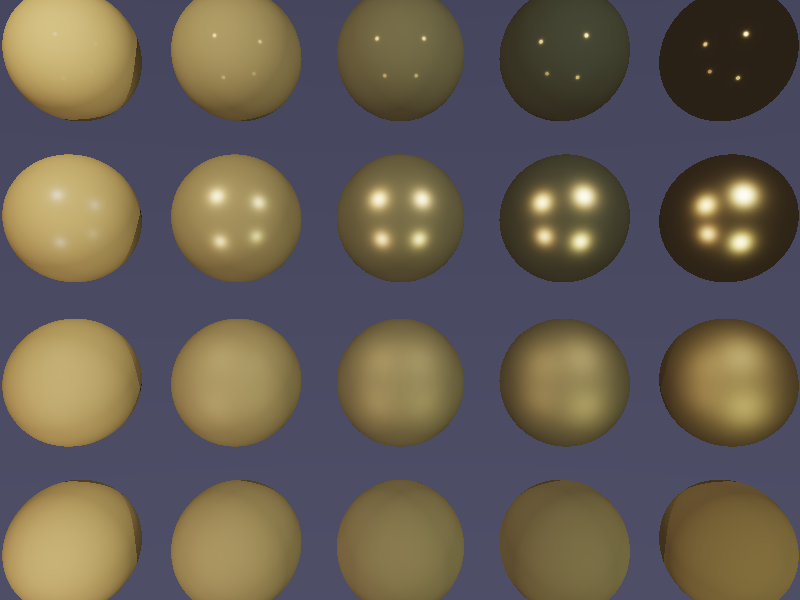
每日编程实践: PBR Cook-Torrance BRDF 渲染器
PBR Cook-Torrance BRDF 渲染器今天实现了基于物理的渲染(Physically Based Rendering, PBR)中最核心的 Cook-Torrance BRDF 模型,渲染出 5×4 材质球阵列,直观展示金属度(Metallic)和粗糙度(Roughness)对材质外观的影响。 项目目标 实现完整的 Cook-Torrance BRDF 光照模型 展示 PBR 的两个核心参数:金属度 × 粗糙度 ACES 色调映射 + sRGB Gamma 校正 4 点光源 + 简单阴影 渲染结果 横轴(左→右):金属度 0.0 → 1.0 纵轴(上→下):粗糙度 0.05 → 1.0 材质颜色:金黄色(R:1.0, G:0.71, B:0.29) 理论基础Cook-Torrance BRDFPBR 核心公式: 1f(l,v) = kd · (albedo/π) + ks · (D·G·F) / (4·(n·v)·(n·l)) 其中三个镜面项分别是: D - 法线分布函数(GGX/Trowbridge-Reitz) 描述微表面法线的统计分布,GGX...
2026-02-20
每日编程实践: 纹理映射光线追踪器
纹理映射光线追踪器项目目标实现完整的球面UV映射和纹理采样系统,支持在光线追踪器中渲染带纹理的球体。 关键技术: 球面坐标到UV坐标的转换 程序化纹理生成(棋盘格) 材质系统(纹理/纯色混合) 基于UV坐标的纹理采样 实现过程迭代历史 初始版本: 一次性实现完成 球面UV映射公式 (sphereUV) 棋盘格纹理生成 (checkerboardTexture) 材质系统 (hasTexture 标志) 量化验证通过 为什么一次成功? 球面UV映射的数学公式已标准化 使用成熟的反三角函数库 严格的量化验证流程 核心代码球面UV映射123456789101112UV sphereUV(const Vec3& point) { // point 是单位球面上的点 Vec3 p = point.normalize(); // 经度 → u坐标 (使用 atan2 处理方位角) double u = 0.5 + atan2(p.z, p.x) / (2 * M_PI); // 纬度 → v坐标 (使用 ...
2026-02-24
体积光渲染:实现真实的God Rays效果(C++)
前言体积光(Volumetric Lighting),也称为”God Rays”或”丁达尔效应”,是指光线穿过有雾气、灰尘或水汽的空间时,光束本身变得可见的现象。这是游戏和电影中常用的视觉效果,能够极大地增强场景的真实感和氛围感。 今天我们用C++实现这个效果,不依赖任何图形库,纯CPU渲染。 效果展示 左图:普通渲染(只有表面光照) 中图:体积光渲染(光束清晰可见) 右图:差异热力图(差异均值39.33) 可以看到,光束从右上方的光源穿过三个球体之间的缝隙,形成了经典的”God Rays”效果。 技术原理什么是体积光?在真实世界中,我们之所以能看到光束,是因为: 散射(Scattering):光子碰到空气中的微粒(雾气、灰尘、水汽)后向各个方向散射 吸收(Absorption):部分光能被微粒吸收 方向性:散射后的光子可能射向我们的眼睛,让我们”看到”光束 Ray Marching算法实现体积光的关键是Ray Marching(光线步进): 12345671. 从相机发射一条射线2. 沿着射线以固定步长前进3. 在每个采样点: a. 检查该点是否能看到光源(阴影...
2026-02-19
每日编程实践: 递归光线追踪 - 折射效果(玻璃球)
递归光线追踪 - 折射效果(玻璃球)项目目标在昨日反射效果的基础上,实现折射效果(Refraction),让玻璃球真正”透明”! 核心技术: Snell 定律(折射方向计算) Fresnel 效应(反射/折射混合) 全反射检测 多材质系统 ⚠️ 重要修复(2026-02-19 10:30)用户反馈的问题: 三个球部分叠在一起 右边金属球看起来像纯透明材质 根本原因: 球体重叠:球心间距 2.5 < 球直径 3.0 金属反射 bug:代码只返回环境反射颜色,没有乘上金属本身的颜色 为什么金属必须乘上颜色? 金属反射 = 环境光 × 金属本身颜色 12345// ❌ 原代码(错误)- 金属变成无色镜子return reflectColor * 0.9;// ✅ 修复后 - 金属显示金黄色return (reflectColor * metalColor) * 0.9; 环境光 金属颜色 反射结果 白光 (1,1,1) 金黄 (0.8,0.6,0.2) 金黄反射 蓝天 (0,0,1) 金黄 (0.8,0.6,0.2) 深蓝 (...