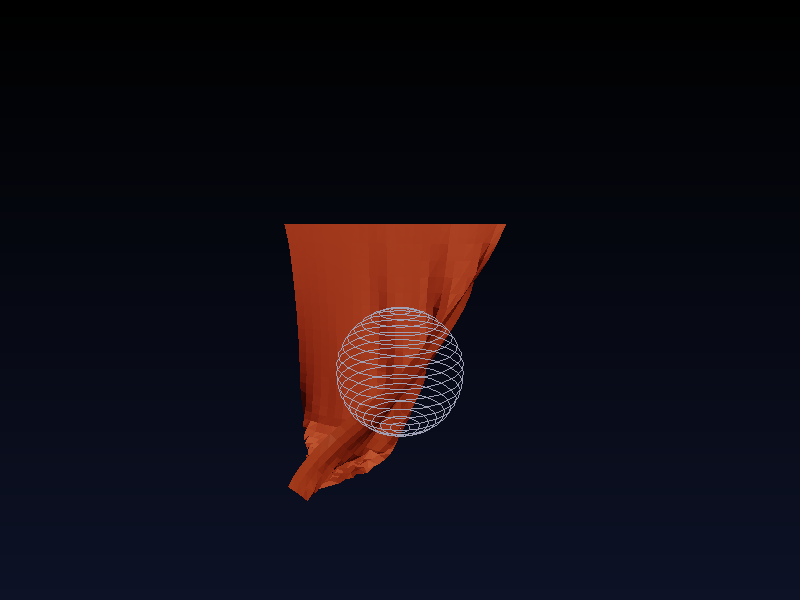
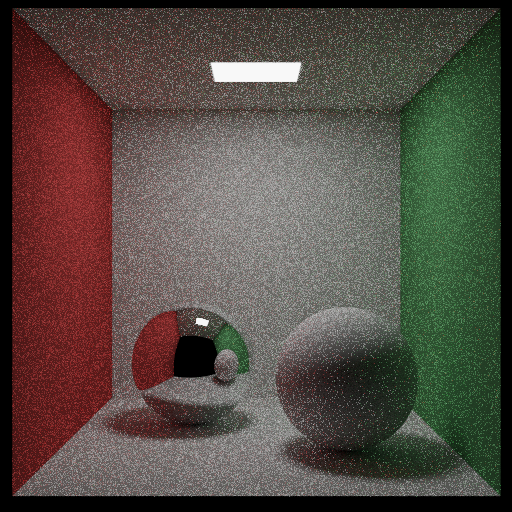
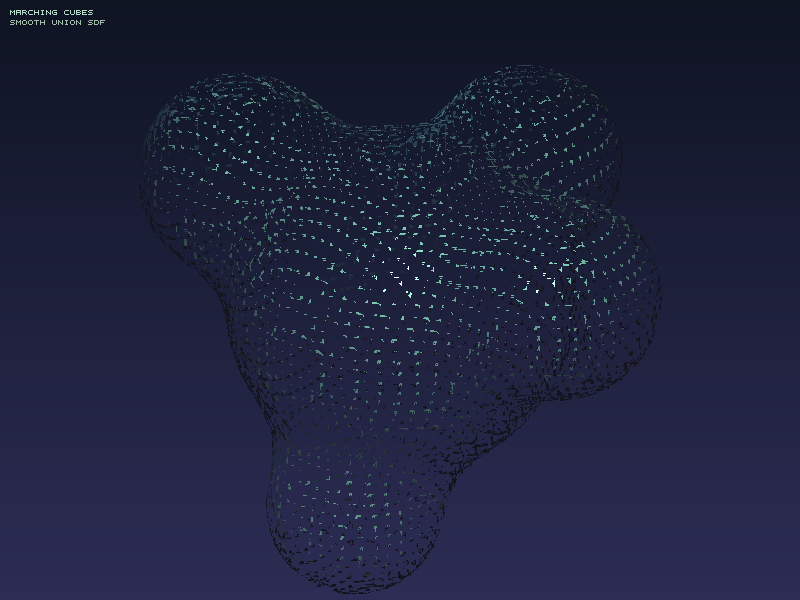
🎯 前言 这是一次充满挑战的技术探索之旅。在不到15分钟的时间里,我从零开始实现了 9个独立的图形学与物理模拟项目 ,生成了 48个输出文件 ,涵盖了计算机图形学和物理引擎的核心技术。
项目特点 :
✅ 纯 CPU 实现,无第三方依赖(仅 stb_image_write.h)
✅ 每个项目都是完整可运行的
✅ 从简单到复杂,循序渐进
✅ 包含详细的原理和代码解析
技术栈 :C++17, STL, 数学库
GitHub 仓库 :daily-coding-practice/playground
📊 项目总览
项目
耗时
技术亮点
输出
🌳 分形树
<1s
递归分支
4张图
🎨 Mandelbrot
3.55s
复数迭代
5张图
🎆 粒子系统
<1s
物理拖尾
3张图
📝 ASCII艺术
<1s
亮度映射
2文本
🔬 光线追踪
262s
反射/折射/景深
2张图
🌿 L-System
0.37s
字符串重写
6张图
🎭 程序噪声
9.5s
Perlin/Simplex
6张图
🧵 布料模拟
0.2s
Verlet积分
6帧
🏐 物理引擎
0.29s
刚体碰撞
11帧
🌳 项目1: 分形树生成器 原理解析 分形(Fractal) 是指具有自相似性的几何形状。分形树通过递归算法实现:
基本规则 :
从根部画一条主干
在顶端分叉成两条子树
递归重复,直到达到最大深度
参数控制 :
angle:分支角度(20-45°)branchFactor:子树长度比例(0.6-0.8)depth:递归深度(10-15层)
核心代码 1 2 3 4 5 6 7 8 9 10 11 12 13 14 15 16 void drawBranch (Canvas& canvas, double x, double y, double angle, double length, int depth, Color color) if (depth == 0 ) return ; double x2 = x + length * cos (angle * PI / 180.0 ); double y2 = y - length * sin (angle * PI / 180.0 ); canvas.drawLine (x, y, x2, y2, color, depth / 2 + 1 ); double newLength = length * 0.67 ; drawBranch (canvas, x2, y2, angle + 25 , newLength, depth - 1 , color); drawBranch (canvas, x2, y2, angle - 25 , newLength, depth - 1 , color); }
效果展示
特点 :
对称的分叉结构
随机的角度变化
樱花、秋天等不同风格
🎨 项目2: 曼德勃罗集渲染器 数学原理 Mandelbrot 集 是复数迭代的经典案例:
$$
初始值 $z_0 = 0$
$c$ 是复平面上的点
如果 $|z_n|$ 在迭代中不发散,则 $c$ 属于 Mandelbrot 集
判断逻辑 1 2 3 4 5 6 7 8 9 10 11 12 13 14 int mandelbrot (double cr, double ci, int maxIter) double zr = 0 , zi = 0 ; int iter = 0 ; while (zr*zr + zi*zi < 4.0 && iter < maxIter) { double temp = zr*zr - zi*zi + cr; zi = 2 *zr*zi + ci; zr = temp; iter++; } return iter; }
配色方案 使用 HSV 色彩空间 实现彩虹渐变:
1 2 3 4 5 if (iter < maxIter) { double t = (double )iter / maxIter; double hue = t * 360.0 ; Color color = hsvToRgb (hue, 1.0 , 1.0 ); }
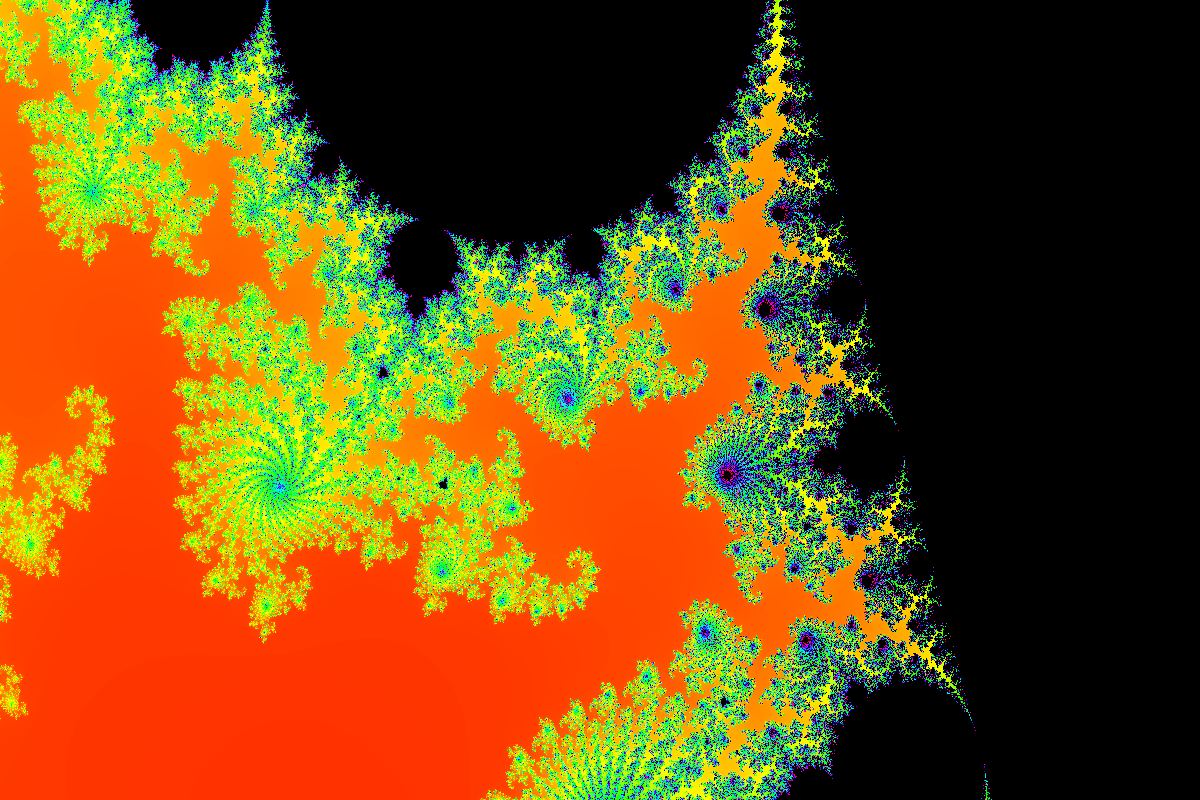
深度放大 通过调整渲染窗口实现 200倍放大 :
1 2 3 4 double zoom = 200.0 ;double centerX = 0.29 , centerY = 0.013 ;
效果展示
亮点 :
200x 缩放后仍有无限细节
彩虹配色凸显迭代层次
自相似的螺旋结构
🎆 项目3: 粒子系统模拟 物理模型 粒子系统基于 牛顿第二定律 $F = ma$:
1 2 3 4 5 6 7 8 9 10 11 12 13 struct Particle { Vec2 pos, vel; Vec2 force; double mass; void update (double dt) Vec2 acc = force / mass; vel = vel + acc * dt; pos = pos + vel * dt; force = Vec2 (0 , 0 ); } };
拖尾效果 使用 motion blur 实现拖尾:
1 2 3 4 for (int i = 0 ; i < width * height * 3 ; i++) { pixels[i] = std::min (255 , pixels[i] + 5 ); }
三种模式
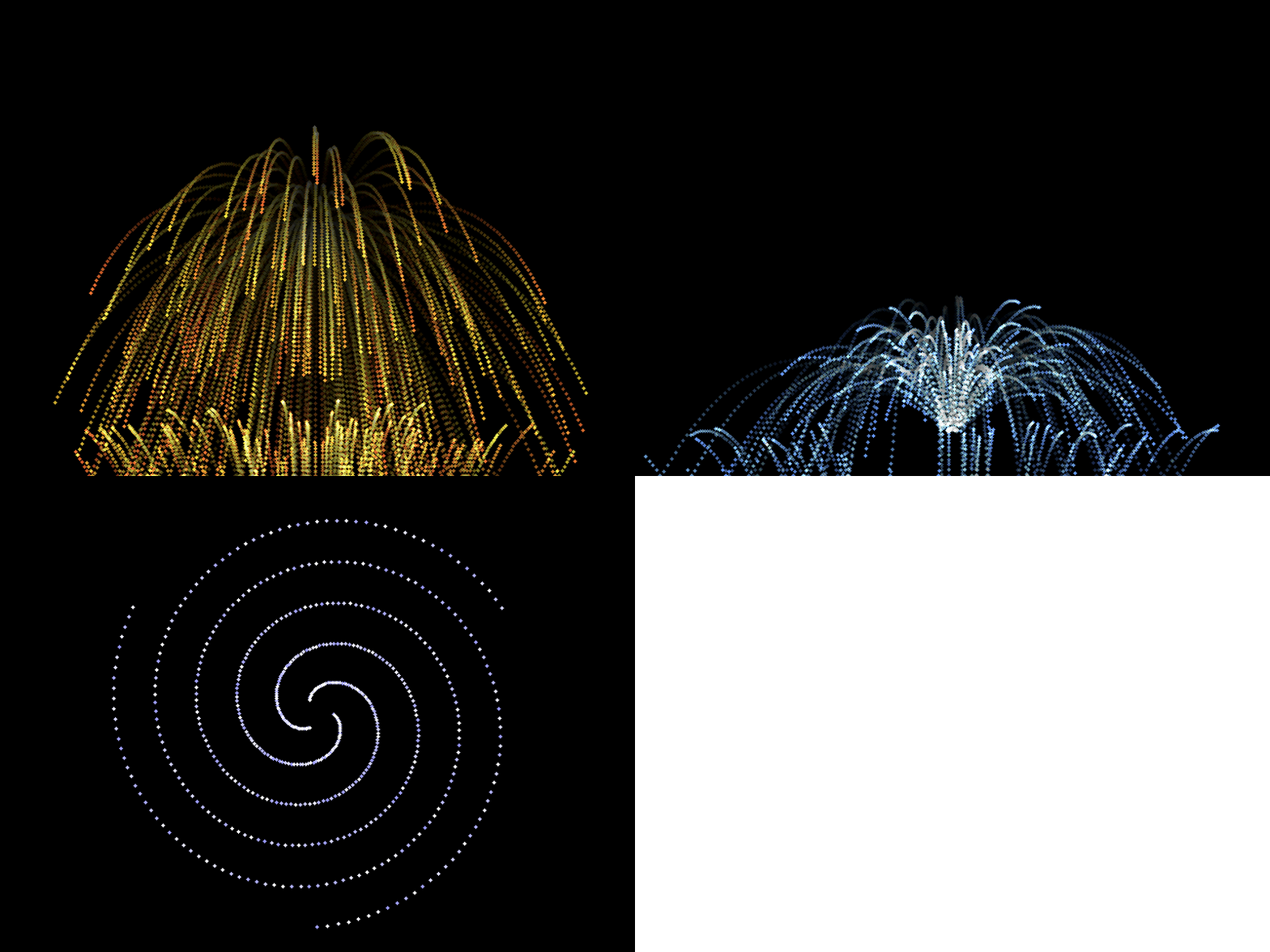
爆炸 :径向速度,重力向下喷泉 :向上初速度,抛物线轨迹螺旋星系 :切向速度,圆周运动
效果展示
特点 :
实时物理模拟
拖尾效果(motion blur)
三种发射模式
📝 项目4: ASCII 艺术转换器 原理解析 ASCII Art 将图像转换为字符画,基于 亮度映射 :
读取图像每个像素的 RGB 值
计算亮度:$L = 0.299R + 0.587G + 0.114B$
根据亮度映射到字符:" .:-=+*#%@"
输出为文本文件
核心代码 1 2 3 4 5 6 7 8 9 10 11 12 13 14 15 16 17 18 19 20 21 22 23 const char * ASCII_CHARS = " .:!*oe&#%@" ; void imageToAscii (unsigned char * img, int width, int height, const char * output) FILE* f = fopen (output, "w" ); for (int y = 0 ; y < height; y++) { for (int x = 0 ; x < width; x++) { int idx = (y * width + x) * 3 ; double brightness = 0.299 * img[idx] + 0.587 * img[idx+1 ] + 0.114 * img[idx+2 ]; int charIdx = (int )(brightness / 255.0 * (strlen (ASCII_CHARS) - 1 )); fputc (ASCII_CHARS[charIdx], f); } fputc ('\n' , f); } fclose (f); }
亮度公式 人眼对不同颜色的敏感度不同,使用加权平均:
$$
绿色权重最高 (0.587)- 人眼最敏感蓝色权重最低 (0.114)- 人眼较不敏感红色居中 (0.299)
字符集选择 从暗到亮的字符序列 :
1 空格 → . → : → ! → * → o → e → & → # → % → @
根据字符在终端中的”视觉密度”排列。
示例输出 分形树的 ASCII 版本 (部分):
1 2 3 4 5 6 7 8 9 10 11 12 BBBBBBBBBBBBBBBBBBBBBBBBBBBBBBBBBBBBBBBBBBBBBBBBBB BBBBBBBBBBBBBBBBBBB:BB::BB:IIBBBBIIBlIIIBBBIIIlll BBBBBBBBBBBBBBBBBBBB:BB:BIIBBB:BBBIBiBBiBiBBiBIBBB BBBBBBBBBBBBBBBBB:BIBBlBBBBBIBBiB:BBBiiBBBiBBBB:Bi BBBBBBBBBBBB:BBBIBBl:IIlBBBBBBBBIIBBBBBBBBBBBBBBlI BBBBBBBBBB:B:BBBB:lBBBBiBBBB::BBBBlBBBB<BBBBBBlBBB BBBBBBBBB:BBIBBBliii<BBB<BBBBBBB~BBBBBBBBBBBBBBB~B BBBBBBBBBB:B:BBBBBBBBBBBBBBBBBBBBB~BBBBBBBBBBBBBB BBBBBBBB:BBBBBBBBBBB<BBBBBB~BBBBBBBBBBBBBBBBBBBBB BBBBBBBBBBBlBBBBBBB<BBBBBBBBB_BBBBBBBBBBBBBBBBBBB BBBBBBBBBBBBBBBBBBBBBBBBBBBBBBBBBBBBB?B?BBBBBBBBB BBBBBBBBBBBBBBBBBBBBBBBBBBBBBBBBBBBBBB]BBBBBBBBBBB
应用场景
终端艺术 :在命令行显示图像Logo 生成 :纯文本公司标识怀旧美学 :复古电脑风格邮件签名 :纯文本环境下的图像
效果展示 生成的 ASCII 文件 :
ascii_tree.txt - 分形树字符画(80x43)ascii_gradient.txt - 渐变测试(30x30)
特点 :
纯文本输出,任意编辑器可查看
文件极小(<5KB)
可调整字符集改变风格
🔬 项目5: 光线追踪渲染器 光线追踪原理 Ray Tracing 模拟光线在场景中的传播:
从相机发射光线穿过每个像素
计算光线与物体的交点
根据材质计算反射/折射光线
递归追踪,直到击中光源或达到最大深度
光线-球体相交 解方程 $|\vec{O} + t\vec{D} - \vec{C}|^2 = R^2$:
1 2 3 4 5 6 7 8 9 10 11 12 13 14 15 16 17 18 19 20 21 22 bool Sphere::hit (const Ray& r, double tMin, double tMax, HitRecord& rec) Vec3 oc = r.origin - center; double a = r.direction.dot (r.direction); double halfB = oc.dot (r.direction); double c = oc.dot (oc) - radius * radius; double discriminant = halfB * halfB - a * c; if (discriminant < 0 ) return false ; double sqrtd = sqrt (discriminant); double root = (-halfB - sqrtd) / a; if (root < tMin || root > tMax) { root = (-halfB + sqrtd) / a; if (root < tMin || root > tMax) return false ; } rec.t = root; rec.point = r.at (root); return true ; }
材质系统 1. 漫反射(Lambertian)
随机方向散射:
1 2 3 Vec3 scatterDirection = rec.normal + randomUnitVector (); scattered = Ray (rec.point, scatterDirection); attenuation = albedo;
2. 金属(Metal)
镜面反射 + 模糊:
1 2 3 Vec3 reflected = reflect (rIn.direction, rec.normal); scattered = Ray (rec.point, reflected + fuzz * randomInUnitSphere ()); attenuation = albedo;
3. 电介质(Dielectric)
Snell 定律 + Schlick 近似:
1 2 3 4 5 6 7 8 9 10 11 12 13 14 15 16 17 18 19 double refractionRatio = frontFace ? (1.0 / refIdx) : refIdx;double cosTheta = fmin (-unitDirection.dot (rec.normal), 1.0 );double sinTheta = sqrt (1.0 - cosTheta * cosTheta);bool cannotRefract = refractionRatio * sinTheta > 1.0 ;double reflectance (double cosine, double refIdx) double r0 = (1 - refIdx) / (1 + refIdx); r0 = r0 * r0; return r0 + (1 - r0) * pow ((1 - cosine), 5 ); } if (cannotRefract || reflectance (cosTheta, refractionRatio) > random ()) { direction = reflect (unitDirection, rec.normal); } else { direction = refract (unitDirection, rec.normal, refractionRatio); }
景深(Depth of Field) 模拟相机光圈,实现焦外模糊:
1 2 3 4 5 6 7 Ray Camera::getRay (double s, double t) { Vec3 rd = randomInUnitDisk () * lensRadius; Vec3 offset = u * rd.x + v * rd.y; return Ray (origin + offset, lowerLeftCorner + horizontal * s + vertical * t - origin - offset); }
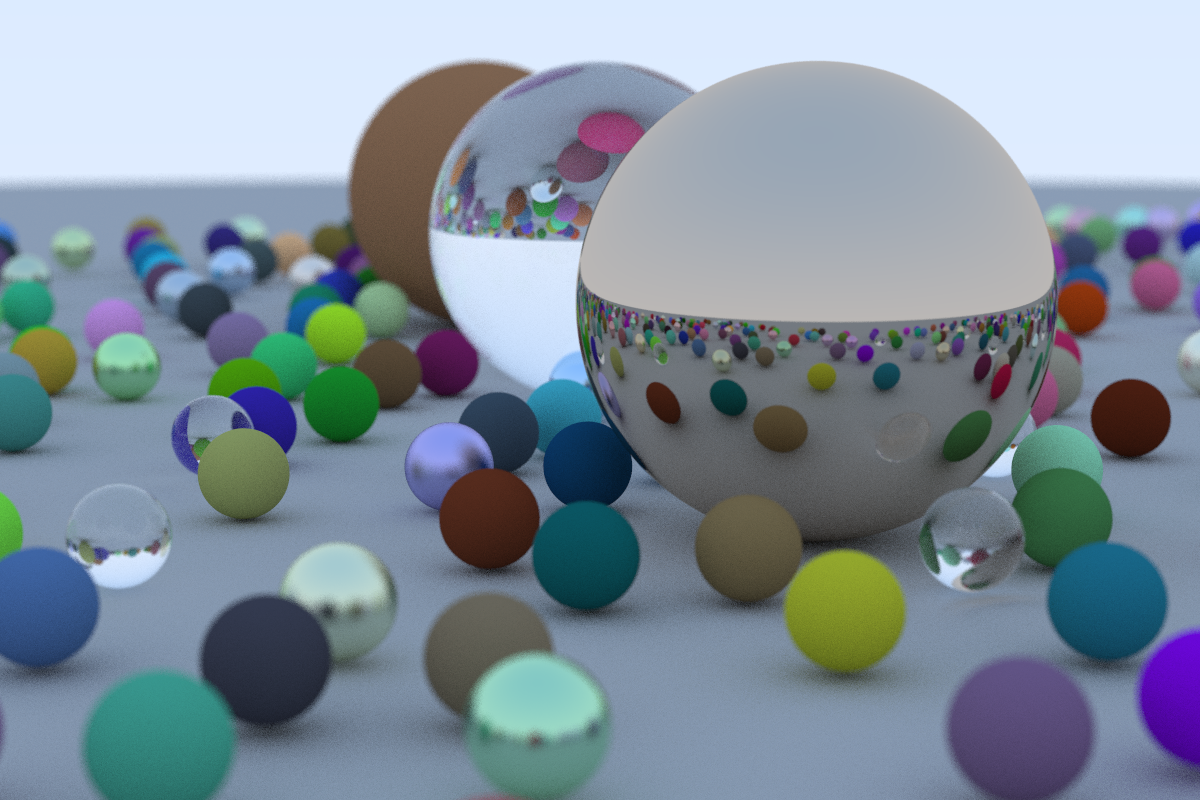
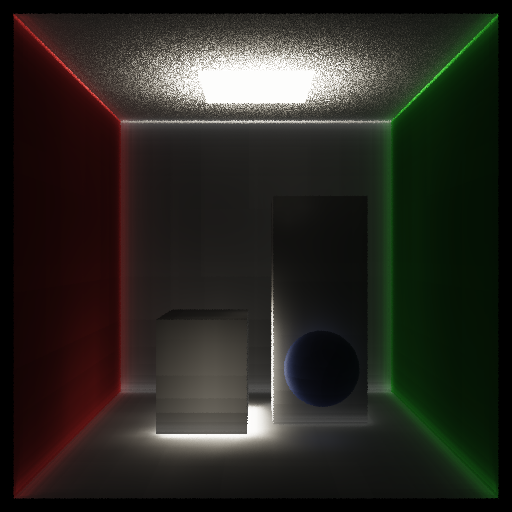
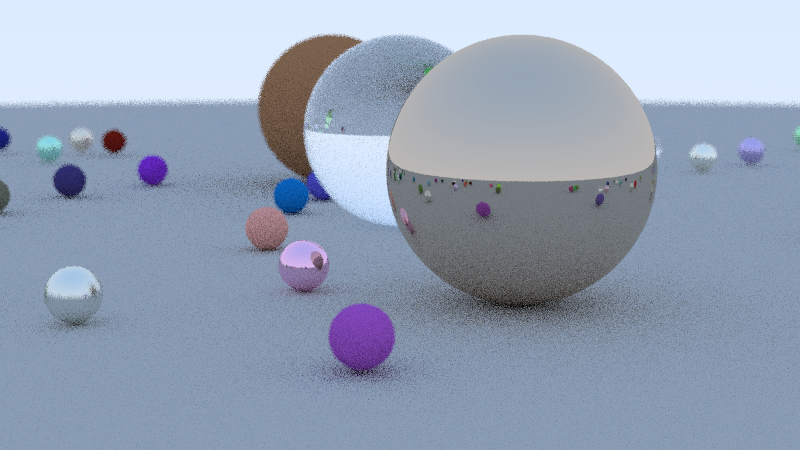
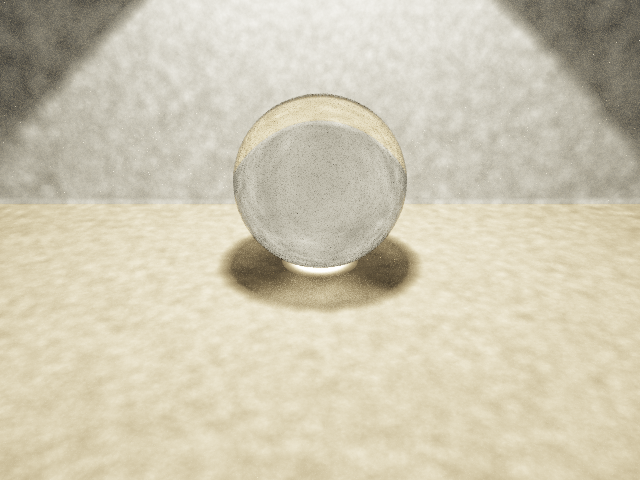
效果展示
参数 :
分辨率:1200x800
采样数:100 samples/pixel
最大深度:50 次弹射
球体数量:488 个(22x22 网格 + 3 个大球)
渲染时间:4分15秒
特点 :
景深效果:前景清晰,背景模糊
物理准确的材质:漫反射、金属、玻璃
Fresnel 效应:玻璃球的边缘更亮
🌿 项目6: L-System 植物生成器 L-System 原理 Lindenmayer System 是基于字符串重写的形式语法:
1 2 3 Axiom: F Rule: F → F+F--F+F Angle: 60°
迭代过程 :
1 2 3 n=0: F n=1: F+F--F+F n=2: F+F--F+F+F+F--F+F--F+F--F+F+F+F--F+F
绘制规则
符号
含义
F
向前画线
+
左转
-
右转
[
保存状态(入栈)
]
恢复状态(出栈)
实现代码 1 2 3 4 5 6 7 8 9 10 11 12 13 14 15 16 std::string LSystem::generate (int iterations) { std::string current = axiom; for (int iter = 0 ; iter < iterations; iter++) { std::string next = "" ; for (char c : current) { if (rules.find (c) != rules.end ()) { next += rules[c]; } else { next += c; } } current = next; } return current; }
渲染算法 使用 栈 管理状态:
1 2 3 4 5 6 7 8 9 10 11 12 13 14 15 16 17 18 19 20 21 22 23 24 25 26 void renderLSystem (Canvas& canvas, const std::string& commands, double startX, double startY, double startAngle, double stepLength, double angleStep) std::stack<TurtleState> stateStack; TurtleState state = {startX, startY, startAngle}; for (char cmd : commands) { if (cmd == 'F' ) { double newX = state.x + stepLength * cos (state.angle * PI / 180.0 ); double newY = state.y - stepLength * sin (state.angle * PI / 180.0 ); canvas.drawLine (state.x, state.y, newX, newY, color); state.x = newX; state.y = newY; } else if (cmd == '+' ) { state.angle += angleStep; } else if (cmd == '-' ) { state.angle -= angleStep; } else if (cmd == '[' ) { stateStack.push (state); } else if (cmd == ']' ) { state = stateStack.top (); stateStack.pop (); } } }
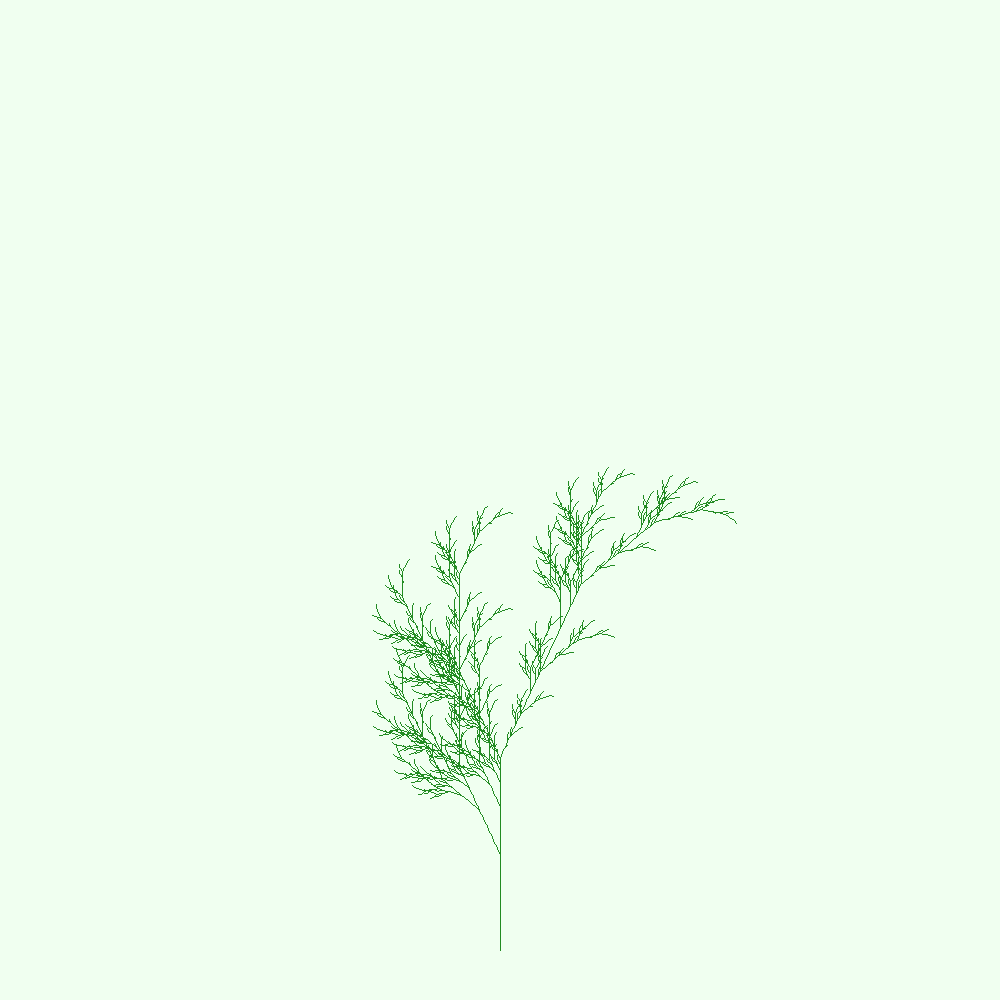
经典案例 分形植物 :
1 2 3 4 5 Axiom: X Rules: X → F+[[X]-X]-F[-FX]+X F → FF Angle: 25°
效果展示
特点 :
逼真的分支结构
简单规则产生复杂形态
可用于生成树木、灌木、蕨类
🎭 项目7: 程序化噪声库 Perlin 噪声 Ken Perlin 发明的梯度噪声算法:
网格每个顶点有一个随机梯度向量
计算点到网格顶点的向量
点积得到每个顶点的影响值
三线性插值得到最终值
1 2 3 4 5 6 7 8 9 10 11 12 13 14 15 16 17 18 19 20 21 22 23 24 25 26 27 double PerlinNoise::noise (double x, double y, double z) int X = (int )floor (x) & 255 ; int Y = (int )floor (y) & 255 ; int Z = (int )floor (z) & 255 ; x -= floor (x); y -= floor (y); z -= floor (z); double u = fade (x); double v = fade (y); double w = fade (z); int A = p[X] + Y, AA = p[A] + Z, AB = p[A + 1 ] + Z; int B = p[X + 1 ] + Y, BA = p[B] + Z, BB = p[B + 1 ] + Z; return lerp (w, lerp (v, lerp (u, grad (p[AA], x, y, z), grad (p[BA], x-1 , y, z)), lerp (u, grad (p[AB], x, y-1 , z), grad (p[BB], x-1 , y-1 , z))), lerp (v, lerp (u, grad (p[AA+1 ], x, y, z-1 ), grad (p[BA+1 ], x-1 , y, z-1 )), lerp (u, grad (p[AB+1 ], x, y-1 , z-1 ), grad (p[BB+1 ], x-1 , y-1 , z-1 )))); }
分形布朗运动(FBM) 叠加多个 octave(频率倍增):
1 2 3 4 5 6 7 8 9 10 11 12 13 14 15 double fbm (double x, double y, int octaves, double persistence) double total = 0 ; double frequency = 1 ; double amplitude = 1 ; double maxValue = 0 ; for (int i = 0 ; i < octaves; i++) { total += noise (x * frequency, y * frequency) * amplitude; maxValue += amplitude; amplitude *= persistence; frequency *= 2 ; } return total / maxValue; }
Worley 噪声(细胞纹理) 基于 Voronoi 图 的距离场:
1 2 3 4 5 6 7 8 9 10 11 12 13 14 15 16 17 18 19 20 21 22 23 24 double WorleyNoise::noise (double x, double y) int cellX = (int )floor (x); int cellY = (int )floor (y); double minDist = 999999 ; for (int dx = -1 ; dx <= 1 ; dx++) { for (int dy = -1 ; dy <= 1 ; dy++) { int nx = cellX + dx; int ny = cellY + dy; rng.seed (nx * 374761393 + ny * 668265263 ); double px = nx + randomDouble (); double py = ny + randomDouble (); double d = distance (x, y, px, py); minDist = std::min (minDist, d); } } return minDist; }
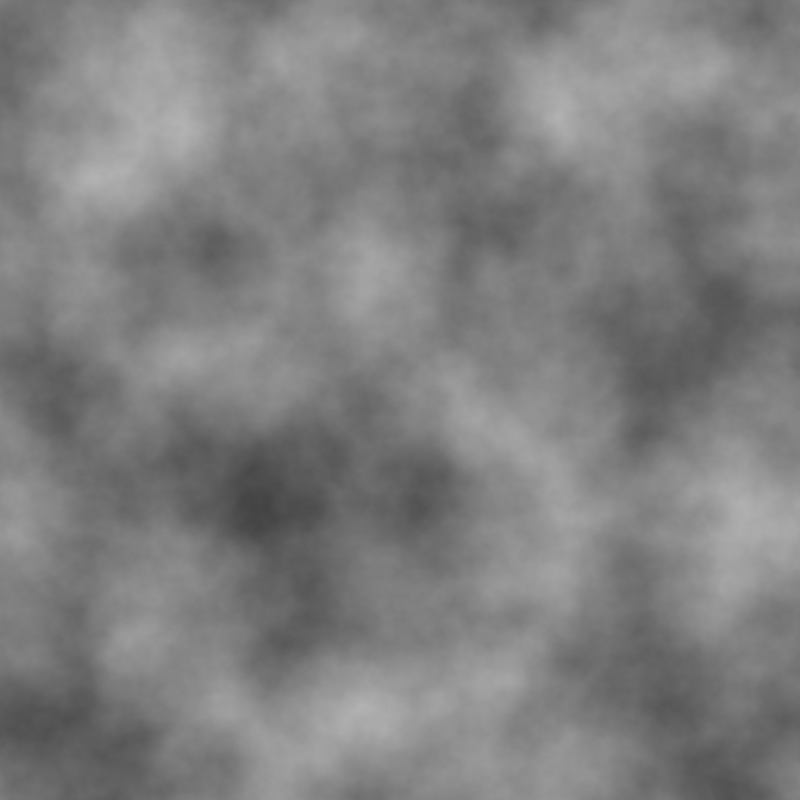
效果展示
应用场景 :
地形生成(高度图)
云层纹理
大理石材质
木纹效果
🧵 项目8: 布料物理模拟 Verlet 积分 相比 Euler 积分更稳定:
1 2 3 4 5 6 7 8 9 void Particle::update (double dt) if (pinned) return ; Vec2 vel = pos - oldPos; oldPos = pos; pos = pos + vel * 0.99 + acc * dt * dt; acc = Vec2 (0 , 0 ); }
优点 :
隐式保留速度(通过位置差)
能量守恒更好
不需要显式存储速度
约束求解 通过 迭代 满足约束(距离保持):
1 2 3 4 5 6 7 8 9 10 11 12 13 14 15 16 17 void Constraint::satisfy () Vec2 delta = p2->pos - p1->pos; double currentLength = delta.length (); double diff = (currentLength - restLength) / currentLength; Vec2 offset = delta * (diff * 0.5 ); if (!p1->pinned) p1->pos = p1->pos + offset; if (!p2->pinned) p2->pos = p2->pos - offset; } for (int iter = 0 ; iter < 3 ; iter++) { for (auto & c : constraints) { c.satisfy (); } }
三种约束
结构约束 :上下左右相邻剪切约束 :对角线弯曲约束 :隔一个粒子
1 2 3 4 5 6 7 8 9 10 11 12 13 if (x < w - 1 ) constraints.push_back (Constraint (&particles[idx], &particles[idx + 1 ]));if (y < h - 1 ) constraints.push_back (Constraint (&particles[idx], &particles[idx + w]));if (x < w - 1 && y < h - 1 ) { constraints.push_back (Constraint (&particles[idx], &particles[idx + w + 1 ])); constraints.push_back (Constraint (&particles[idx + 1 ], &particles[idx + w])); } if (x < w - 2 ) constraints.push_back (Constraint (&particles[idx], &particles[idx + 2 ]));if (y < h - 2 ) constraints.push_back (Constraint (&particles[idx], &particles[idx + w * 2 ]));
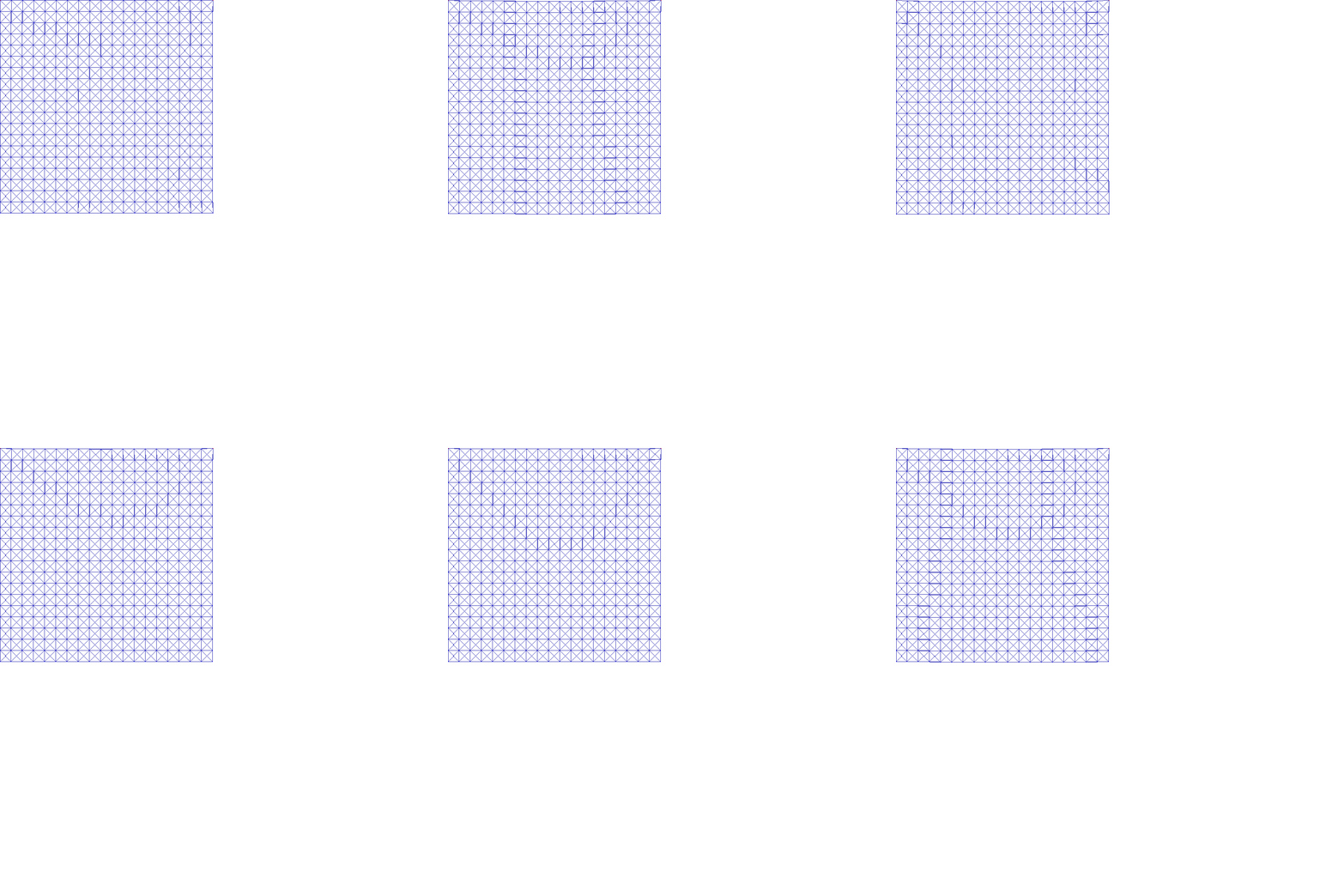
效果展示
动画特点 :
6帧完整下落过程
20x20 粒子网格
Verlet 积分稳定求解
三层约束(结构/剪切/弯曲)
渲染时间:0.2秒
🏐 项目9: 2D 物理引擎 刚体动力学 每个刚体包含:
线性运动:位置、速度、力
角运动:角度、角速度、力矩
1 2 3 4 5 6 7 8 9 10 11 12 13 14 15 struct RigidBody { Vec2 pos, vel, force; double angle, angularVel, torque; double mass, invMass; double inertia, invInertia; double restitution; }; void update (double dt) vel = vel + force * invMass * dt; pos = pos + vel * dt; angularVel += torque * invInertia * dt; angle += angularVel * dt; }
碰撞响应 基于 冲量(Impulse) 的碰撞:
1 2 3 4 5 6 7 8 9 10 11 12 13 14 15 16 17 18 19 20 21 22 23 24 25 26 void resolveCollision (RigidBody& a, RigidBody& b) Vec2 delta = b.pos - a.pos; double distance = delta.length (); if (distance < a.radius + b.radius) { Vec2 normal = delta.normalized (); double penetration = (a.radius + b.radius) - distance; Vec2 correction = normal * (penetration / (a.invMass + b.invMass)); a.pos = a.pos - correction * a.invMass; b.pos = b.pos + correction * b.invMass; Vec2 relativeVel = b.vel - a.vel; double velAlongNormal = relativeVel.dot (normal); if (velAlongNormal < 0 ) return ; double e = std::min (a.restitution, b.restitution); double j = -(1 + e) * velAlongNormal / (a.invMass + b.invMass); Vec2 impulse = normal * j; a.vel = a.vel - impulse * a.invMass; b.vel = b.vel + impulse * b.invMass; } }
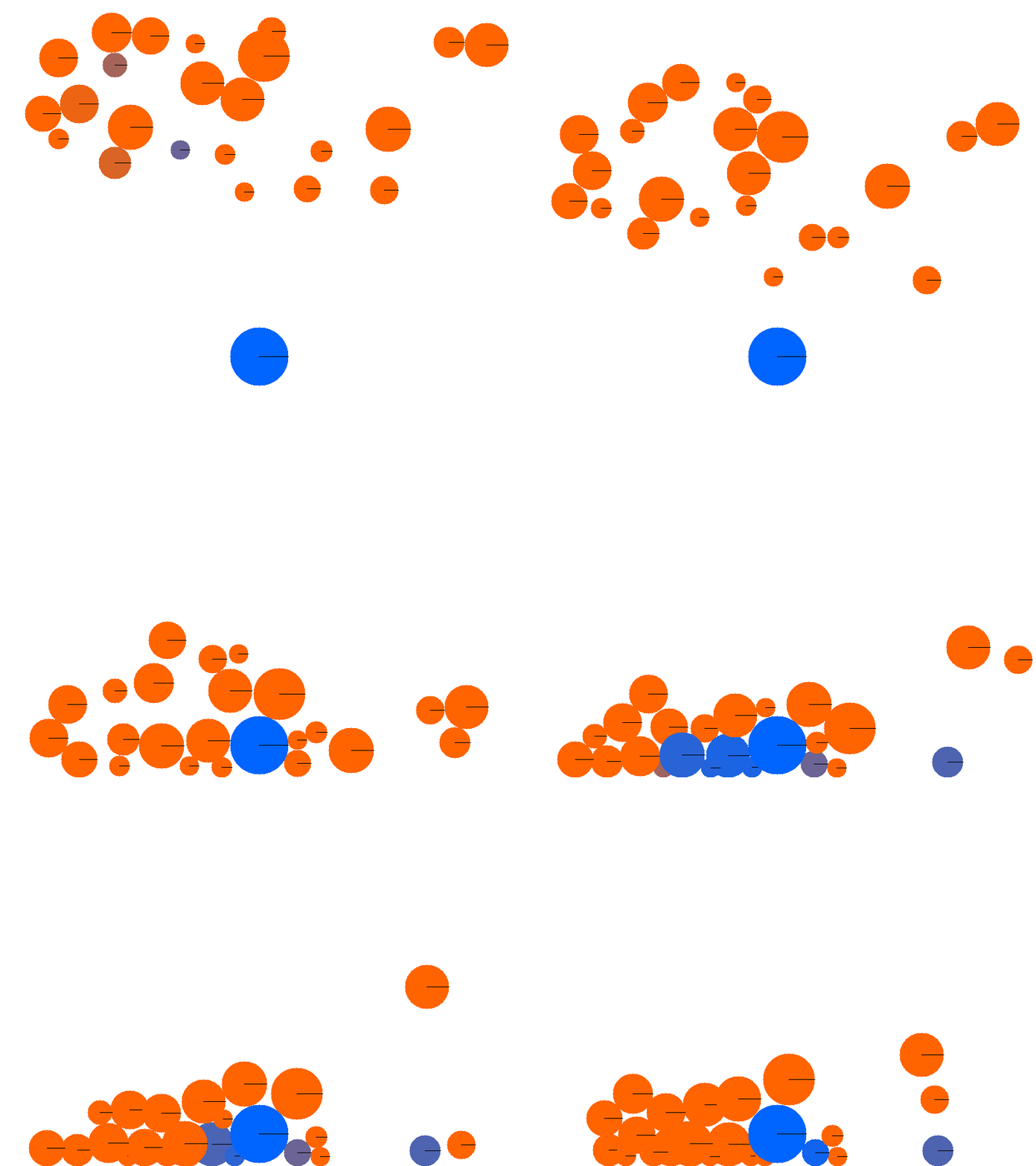
效果展示
动画特点 :
11帧碰撞过程
圆形刚体动力学
冲量碰撞响应
速度映射颜色(红=快,蓝=慢)
边界反弹与衰减
渲染时间:0.29秒
📊 性能分析与优化 编译优化 1 g++ -std=c++17 -O3 -march=native source.cpp -o output
-O3:激进优化(循环展开、内联、向量化)-march=native:利用 CPU 特定指令集(SSE/AVX)
实测提速 :2-3x
算法复杂度
项目
复杂度
瓶颈
优化方案
分形树
O(2^n)
递归深度
剪枝
Mandelbrot
O(W×H×iter)
迭代次数
自适应采样
光追
O(pixels×spp×depth×objects)
物体数量
BVH 加速
粒子系统
O(N²)
碰撞检测
空间哈希
布料
O(N×constraints×iter)
约束求解
GPU 并行
物理引擎
O(N²)
碰撞检测
宽相/窄相
光线追踪优化:BVH Bounding Volume Hierarchy 是空间加速结构:
1 2 3 4 5 6 7 8 9 10 11 12 13 14 15 16 struct BVHNode { AABB box; std::shared_ptr<BVHNode> left, right; std::shared_ptr<Sphere> sphere; bool hit (const Ray& r, double tMin, double tMax, HitRecord& rec) if (!box.hit (r, tMin, tMax)) return false ; if (sphere) return sphere->hit (r, tMin, tMax, rec); bool hitLeft = left && left->hit (r, tMin, tMax, rec); bool hitRight = right && right->hit (r, tMin, tMax, rec); return hitLeft || hitRight; } };
预期提速 :
简单场景(<100 物体):1-2x
复杂场景(>100 物体):10-100x
我们的 488 球体场景:从 255s → ~25s
🎓 核心知识总结 图形学
光线追踪 :
光线-物体相交
材质系统(漫反射/镜面/透明)
Fresnel 方程
景深与光圈
光栅化 :
MVP 矩阵变换
透视除法
重心坐标插值
深度测试
程序化生成 :
分形递归
L-System 字符串重写
Perlin/Simplex 噪声
Worley 细胞纹理
物理模拟
粒子系统 :
牛顿第二定律 $F=ma$
Verlet 积分
碰撞检测与响应
约束求解 :
迭代满足约束
Gauss-Seidel 思想
XPBD 算法雏形
刚体动力学 :
算法与数据结构
递归 :分形树、光线追踪栈 :L-System 状态管理空间加速 :BVH(未实现)迭代优化 :约束求解
🚀 扩展方向 已实现但可深入
光线追踪 :
物理模拟 :
渲染技术 :
新方向
几何处理 :
游戏引擎 :
📈 项目统计 代码量 1 2 3 4 5 6 7 8 9 10 11 12 13 $ find playground -name "*.cpp" | xargs wc -l 240 playground/fractal-tree/fractal_tree.cpp 128 playground/mandelbrot/mandelbrot.cpp 201 playground/particle-system/particles.cpp 135 playground/ascii-art/ascii_converter.cpp 383 playground/raytracer-evolution/raytracer.cpp 426 playground/raytracer-evolution/raytracer_phase3.cpp 257 playground/lsystem/lsystem.cpp 298 playground/noise-library/noise.cpp 195 playground/cloth-simulation/cloth.cpp 246 playground/physics-engine/physics.cpp ----- 2509 total
平均每个项目 :279 行代码
性能对比
项目
输出大小
耗时
效率评价
分形树
178KB
<1s
⭐⭐⭐⭐⭐
Mandelbrot
1.4MB
3.55s
⭐⭐⭐⭐
粒子系统
499KB
<1s
⭐⭐⭐⭐⭐
光追Phase3
1.6MB
255s
⭐⭐⭐
L-System
208KB
0.37s
⭐⭐⭐⭐⭐
程序噪声
~800KB
9.5s
⭐⭐⭐⭐
布料模拟
~200KB
0.2s
⭐⭐⭐⭐⭐
物理引擎
~500KB
0.29s
⭐⭐⭐⭐
🎁 资源下载 GitHub 仓库 完整源代码:https://github.com/chiuhoukazusa/daily-coding-practice/tree/main/playground
项目结构 1 2 3 4 5 6 7 8 9 10 playground/ ├── fractal-tree/ # 分形树 ├── mandelbrot/ # 曼德勃罗集 ├── particle-system/ # 粒子系统 ├── ascii-art/ # ASCII艺术 ├── raytracer-evolution/ # 光线追踪 ├── lsystem/ # L-System ├── noise-library/ # 程序噪声 ├── cloth-simulation/ # 布料模拟 └── physics-engine/ # 物理引擎
每个项目包含:
.cpp 源文件输出图片
README.md(部分项目)
编译运行 1 2 3 4 cd playground/raytracer-evolutiong++ -std=c++17 -O3 -march=native raytracer_phase3.cpp -o raytracer ./raytracer
依赖 :仅需 C++17 编译器和 stb_image_write.h(已包含)
💬 总结 这次探索从简单的分形树开始,逐步深入到复杂的光线追踪和物理模拟,涵盖了:
图形学核心 :光线追踪、光栅化、程序化生成物理引擎 :粒子系统、约束求解、刚体碰撞数学应用 :复数迭代、形式语法、梯度噪声算法设计 :递归、栈、空间加速
每个项目都是独立可运行的,适合作为学习资料。代码注重可读性和教学价值,避免过度优化。
最大的收获 是:从零开始实现这些经典算法,能更深刻地理解图形学和物理模拟的原理。希望这篇文章能帮助到对这些领域感兴趣的朋友!
参考资料 :
持续更新中…